Quotex Demo
Register a free demo account with Quotex or login using the buttons below.
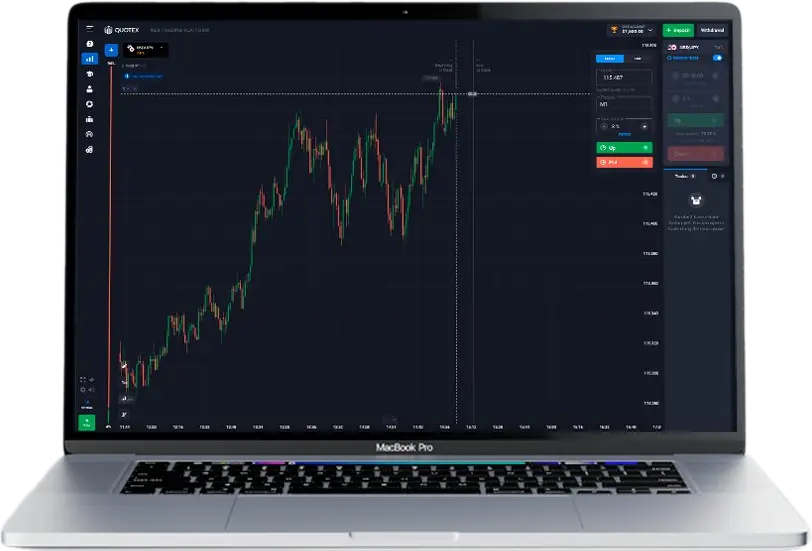
Trading can seem intimidating at first, but what if you could practice without risking a single dollar? With a Quotex demo account, you can! It’s your own risk-free trading simulator, pre-loaded with $10,000 in virtual cash.
Think of it as your training ground to learn the ropes, test strategies, and gain the confidence to trade like a pro. Ready to dive in? Opening your free demo account takes less than a minute:
Your Free Quotex Demo Account is Waiting
A demo account is available automatically after registration on the platform, and no verification or other sensitive data is even required to try demo trading with QxBroker.
Getting Started: Easy as 1-2-3
Quotex makes it super simple to set up your demo account. Choose the method that works best for you:
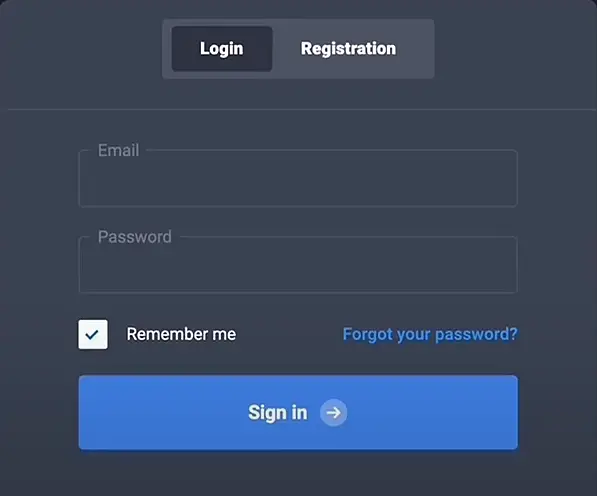
- Email: Just head to the Quotex home page, enter your email, and create a password. You'll be trading in minutes.
- Facebook or Google: Already have an account with these platforms? Connect it to Quotex for even faster access.
- Trade on the Go: Download the Quotex app for your Android phone and start practicing from anywhere.
We will not focus on the nuances of creating an account here, if you wish, you can go to a special page about the registration process in Quotex, where all available methods are discussed in detail.
Why Every New Trader Needs a Quotex Demo
You wouldn’t jump into a car and expect to drive like a race car driver on day one, would you? Trading is no different. A demo account is your chance to learn the skills, understand the rules, and practice without the pressure of real money on the line. Here’s why the Quotex demo is a game-changer for beginners:
1. Master the Platform Without Pressure
The Quotex trading platform is designed to be user-friendly, but there’s always a learning curve with new software. With the demo, you can explore every feature, button, and chart type without the fear of costly mistakes.
- Get Comfortable: Familiarize yourself with order types (buying, selling, setting limits), customizing charts to your liking, and using the analysis tools.
- No Financial Risk: Experiment with different settings, try out indicators, and get a feel for how the platform responds – all without risking a dime.
Multiple Chart Types:
Choose from candlestick, line, bar, or Heikin-Ashi charts to visualize price data in a way that makes sense to you.
Technical Indicators:
Access over 20 popular indicators, including Moving Averages, Bollinger Bands, and RSI, to help you identify trends and potential trading signals.
Drawing Tools:
Use trendlines, support and resistance levels, and other drawing tools to analyze price charts and plan your trades.
2. Develop Your Trading Strategy
Every successful trader has a strategy – a set of rules and techniques they use to make decisions. Your QxBroker demo account is the perfect place to develop and fine-tune yours.
Test, Test, Test:
Try out different trading styles. See what happens if you hold trades for minutes (scalping), hours (day trading), or even days (swing trading).
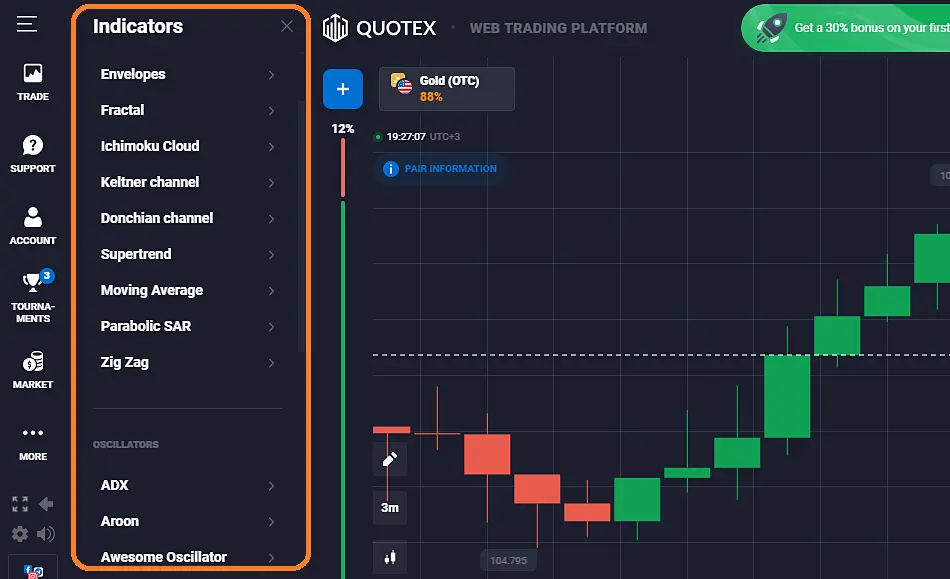
Indicators are Your Friends:
The Quotex platform comes with built-in indicators that can help you spot trends and potential trading opportunities. Experiment with them in the demo to see what works best for you.
Track Your Progress:
The demo account keeps a record of your trades, so you can see what's working, what's not, and adjust your strategy accordingly.
Let’s say you’re interested in using moving averages to identify buy and sell signals. In your demo account, you could:
- Apply two moving averages (e.g., a 50-period and a 200-period) to a chart of a currency pair like EUR/USD.
- Look for crossovers: When the shorter-term moving average crosses above the longer-term moving average, it could signal a buy opportunity. A crossover below could signal a sell.
- Track your results: Over several trades, see how often this strategy generates profitable signals.
3. Understand How Markets Move
The financial markets are constantly in flux, influenced by news, economic data, and even social media sentiment. The Quotex demo, because it uses real-time data, lets you experience these dynamics firsthand.
Spot the Trends:
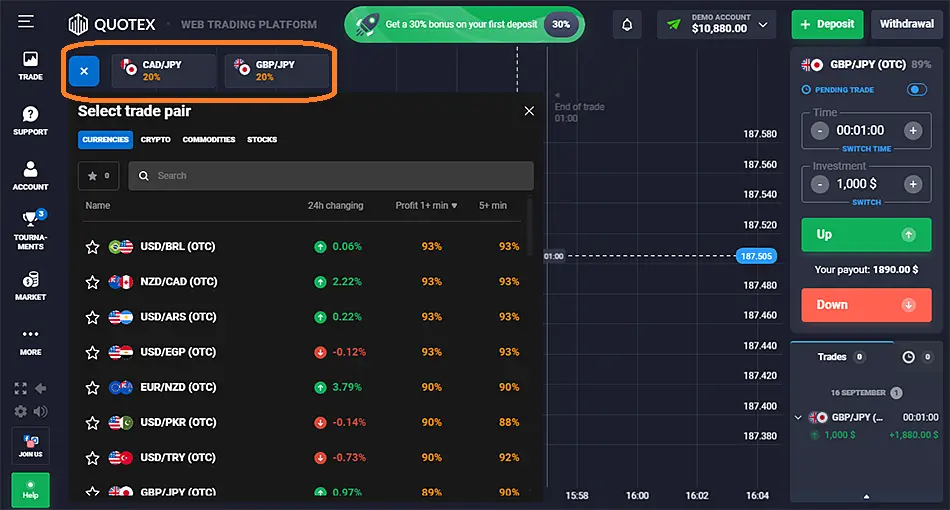
Watch how different assets (currencies, commodities, stocks) move throughout the day. Start to recognize patterns and understand what factors might be driving those movements.
React to Events:
See how news events – like an interest rate announcement or a company earnings report – can cause prices to fluctuate. This real-world experience is invaluable.
Key Markets to Explore:
| Market | Description | Examples |
|---|---|---|
| Forex | Trading currency pairs (e.g., EUR/USD, GBP/JPY) | EUR/USD, GBP/JPY, USD/CAD |
| Commodities | Trading raw materials and agricultural products | Gold, Oil, Coffee |
| Indices | Trading baskets of stocks representing a market sector | S&P 500, FTSE 100 |
| Cryptocurrencies | Trading digital currencies like Bitcoin and Ethereum | Bitcoin, Ethereum, Ripple |
4. Build Confidence for Live Trading
The most important benefit of the Quotex demo? Confidence! When you’ve spent time practicing, testing, and refining your approach in a risk-free environment, you’ll feel much more prepared to trade with real money.
Transition from Demo to Live Trading
Once you’re consistently making profitable trades on your demo account and feel confident in your trading abilities, you can consider switching to a live account. Quotex makes it easy:
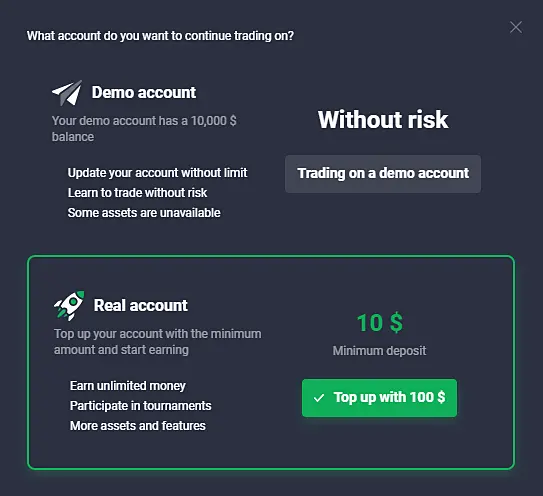
- Low Minimum Deposit: Start trading with as little as $10.
- Account Options: Explore different account types that might offer additional features or benefits as you become more experienced.
Besides, once you open a live account with real money, you will not be deprived of your free demo account. You can always switch to demo mode to practice some trading idea and then switch back to live trading mode. The corresponding button in the upper part of the trading terminal interface allows you to do it with one click.
Remember: Even when you start live trading, it’s essential to manage your risk. Start with small positions, always use stop-loss orders to limit potential losses, and never invest more than you can afford to lose.
QxBroker Demo Trading FAQ
Why switch to a live account if the demo is so realistic?
While the demo mirrors real market conditions, trading with virtual funds lacks the emotional impact of real money. This can lead to developing habits on a demo that don’t translate well to live trading.
Can I reset my demo balance if I lose everything?
Yes! Quotex allows you to replenish your virtual funds if they drop too low, ensuring uninterrupted practice.
Does Quotex manipulate demo conditions to make it easier to profit?
No. Quotex is committed to transparency. The demo uses the same live market data and execution engine as the real platform.
Can I use the Quotex demo on my iPhone or iPad?
While the dedicated app is currently Android-only, you can access the Quotex platform and your demo account from any web browser, including those on iOS devices.
Is my demo trading history saved?
Yes, typically for a set period. This lets you review past trades and analyze your performance, but remember, past demo results don’t guarantee future live account success.
Is there a time limit on using the Qx demo?
No, practice for as long as you need to feel comfortable before switching to live trading.
Can I use trading robots or EAs on the demo mode?
Currently, Quotex doesn’t support automated trading systems. However, the demo is ideal for manually testing and optimizing your strategies.
Can I contact customer support while using the demo account?
Quotex customer support is available for any questions or technical issues, whether you’re on the demo or a live account.
Risk Disclosure: Trading digital options and leveraged financial instruments involves substantial risk and may result in the loss of your capital. These activities are not suitable for everyone. Take time to evaluate your financial situation and risk tolerance before participating. Always ensure that any trading activity is permitted under the laws and regulations of your country.